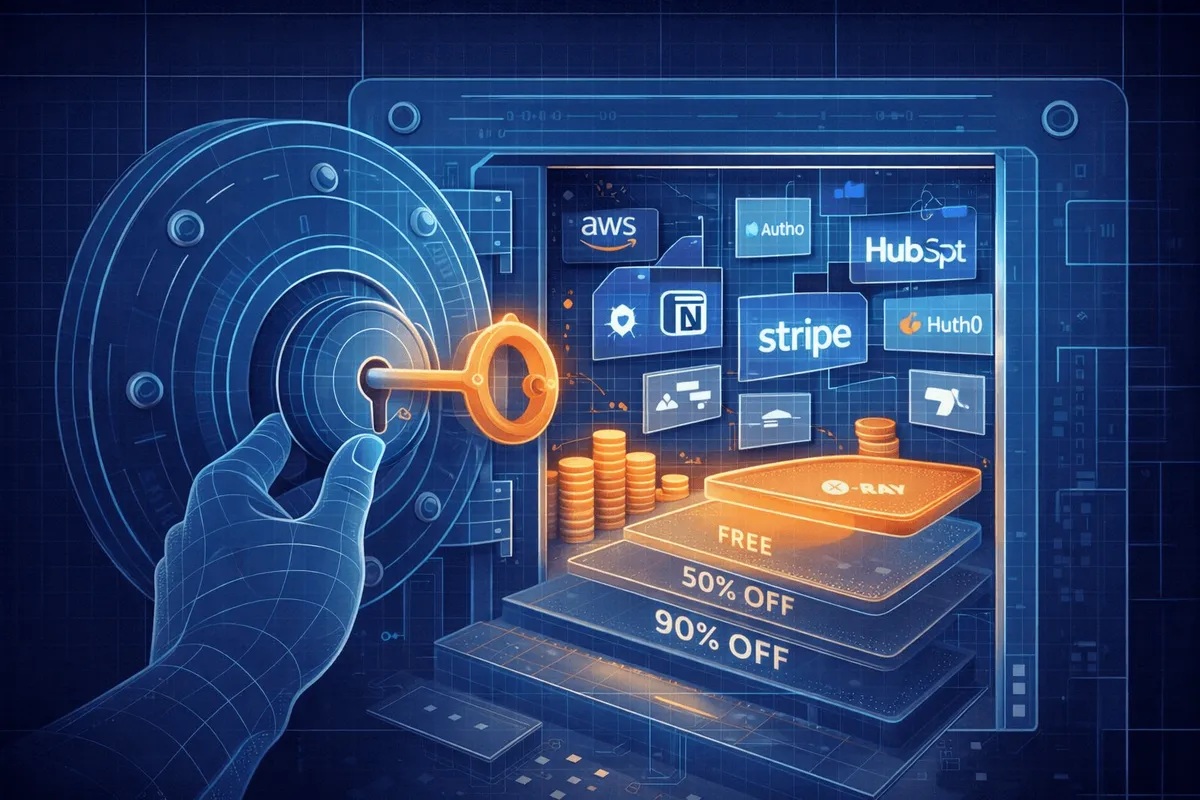

How Retention Offers Work
When you go to cancel a subscription, companies have two chances to keep you:
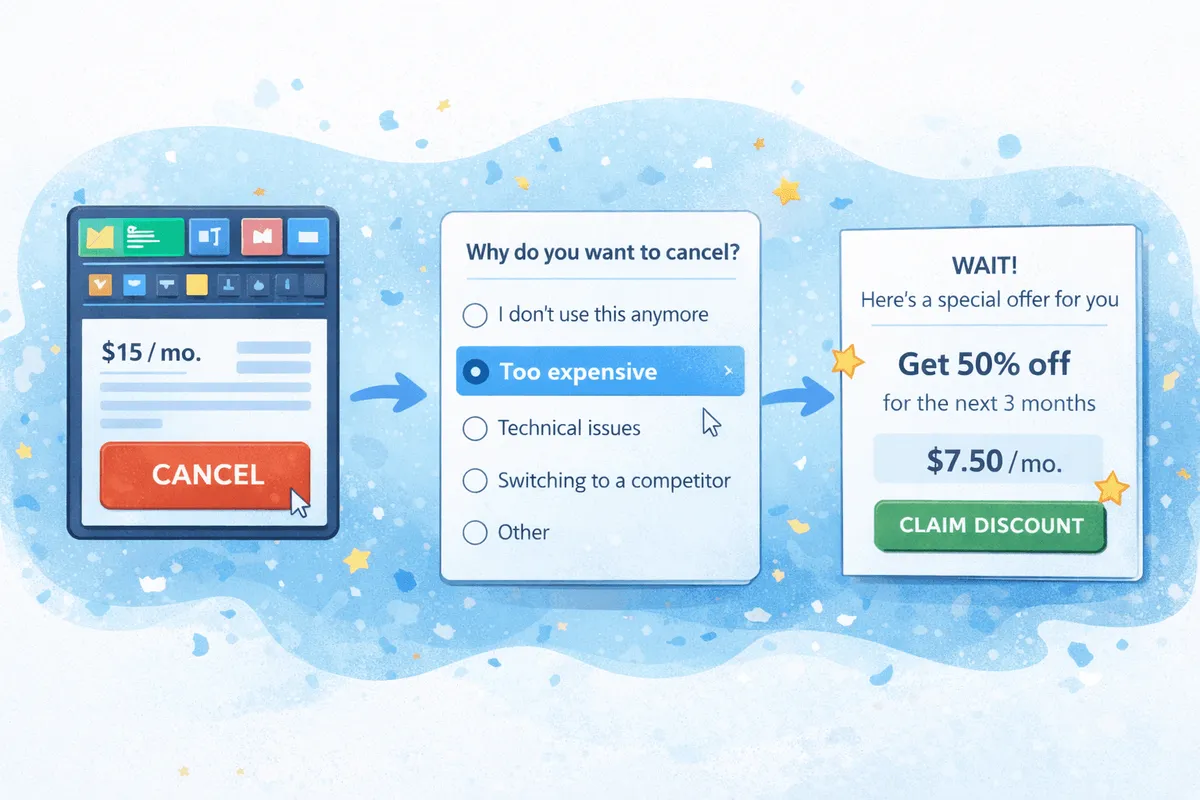
Pre-cancellation offers appear during the cancellation flow itself. You'll see a screen asking why you're leaving, and if you select "too expensive" or "cost," a discount often appears before you hit the final confirm button.
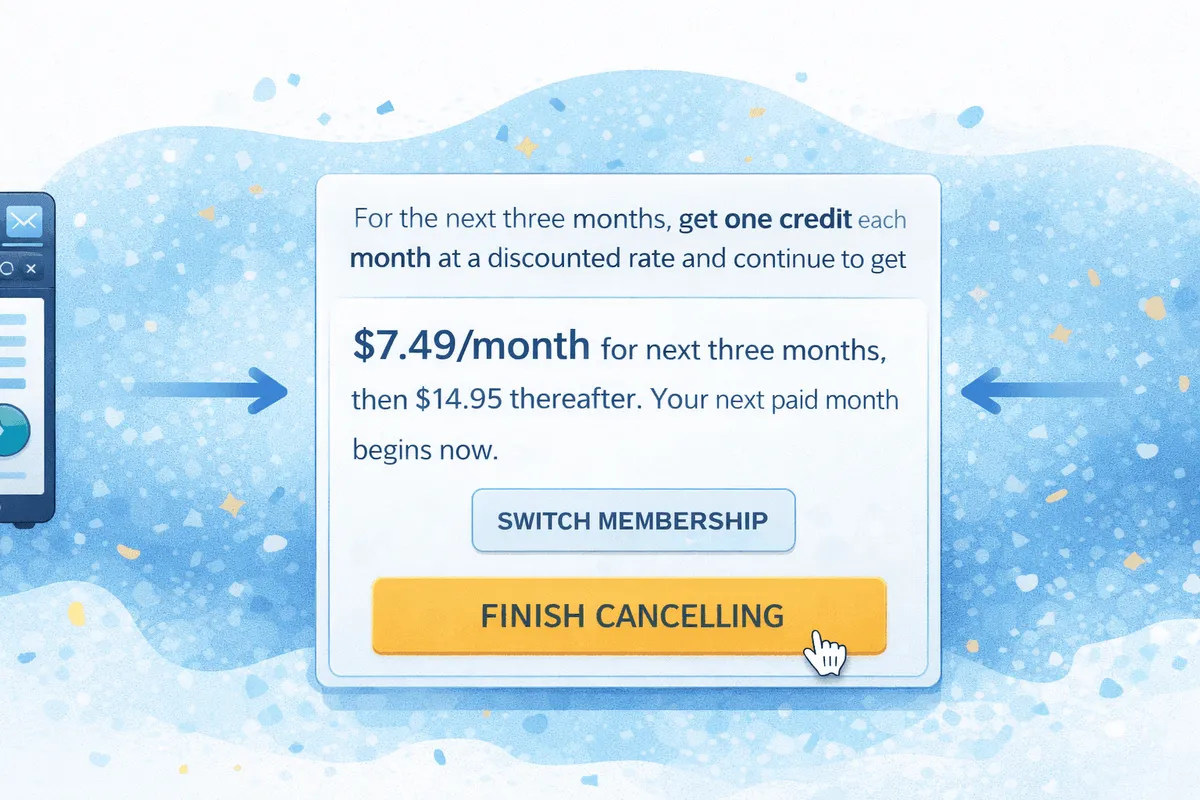
Post-cancellation win-back offers arrive via email days or weeks after you've actually cancelled. These are sometimes better than the pre-cancel offers because the company knows you’re not bluffing, you're truly gone and they want you back.
Not every subscription does this. Some, like Netflix, famously hold the line. But many do, and the savings can be significant.
Keep in mind it can be fairly random as it depends on many factors including timing and geography.
Subscriptions That Offer Discounts When You Try to Cancel
Here's what's been reported to work, based on user reports, Reddit threads, and our own testing. Your results may vary, these offers change frequently and aren't guaranteed.
We recently crowdsourced a Reddit thread on active cancel discounts for consumer subscriptions and the results were fairly mixed.
Streaming Services With Cancellation Discounts
Peacock
Offer: $1.99/month for 6 months (normally $7.99)
Type: Pre-cancellation
How to trigger: Start cancellation flow. The offer appears automatically.
Note: If you have Premium Plus, you'll keep ad-free as an add-on at reduced total cost.
HBO Max
Offer: 50% off for 6 months ($8.49/month instead of $16.99)
Type: Post-cancellation
How to trigger: Actually cancel, then wait for the win-back email.
Note: You have to fully cancel to see this one.
Disney+ / Hulu Bundle
Offer: $4.99/month for 3 months (normally $10.99)
Type: Post-cancellation
How to trigger: Cancel your bundle subscription and wait for the email offer.
Warning: If you're on a legacy Disney Bundle plan, you may lose access to that pricing tier permanently. Check your current rate before cancelling.
Paramount+
Offer: Free months reported
Type: Pre-cancellation or phone
How to trigger: Start cancellation or call customer service.
Hulu (Standalone)
Offer: Automated retention discount
Type: Pre-cancellation
How to trigger: Start cancellation flow. Offer appears in the off-boarding process.
YouTube Premium
Offer: Occasional pause or discount offers
Type: Pre-cancellation
How to trigger: Start cancellation, select a reason. Not consistent.
Audio and Audiobook Subscriptions
Audible
Offer: Free book credit or discounted months
Type: Pre-cancellation
How to trigger: Start cancellation process. Audible's retention team is known for offering freebies.
Tip: If the first offer isn't good, try cancelling again in a few weeks for a different offer.
SiriusXM
Offer: 60-80% off standard pricing
Type: Phone only
How to trigger: Call 1-866-635-2349 and say you want to cancel. Be prepared for multiple offers, the first one is rarely the best.
Script: "I'd like to cancel my subscription. The price is too high for how much I use it." Then wait. Decline the first offer politely. A better one usually follows.
News and Media Subscriptions
New York Times
Offer: $4/month rate extended (normally $25/month after promo)
Type: Pre-cancellation
How to trigger: Start cancellation after your initial promo period ends.
Tip: If the online flow doesn't work, try the phone or chat.
Washington Post
Offer: $39-60/year (normally $120/year)
Type: Pre-cancellation
How to trigger: Start cancellation when your annual rate is about to renew.
The Athletic
Offer: Discounted renewal offers reported
Type: Pre-cancellation or email
How to trigger: Start cancellation or let subscription lapse and wait for win-back email.
Software and SaaS Subscriptions
Adobe Creative Cloud
Offer: ~$16/month (normally $59.99/month for all apps)
Type: Phone
How to trigger: Call Adobe support and say you want to cancel due to cost. This is one of the most dramatic discounts available.
Note: Adobe has early termination fees on annual plans, but the retention discount can offset this significantly.
ChatGPT Plus
Offer: 50% off for 3 months ($10/month instead of $20)
Type: Pre-cancellation
How to trigger: Start the cancellation process and select "too expensive" as your reason. The offer appears before final confirmation.
Note: Not everyone sees this. It appears to be targeted based on usage and tenure.
Microsoft 365
Offer: Occasional retention offers
Type: Pre-cancellation
How to trigger: Start cancellation in account settings. Not consistent.
Cable and Internet Providers
Spectrum, Comcast/Xfinity, Cox, Rogers
Offer: 20-50% off monthly bill
Type: Phone
How to trigger: Call and say you're cancelling due to price. This is the classic retention negotiation, cable companies have been doing this for decades.
Tip: Mention a competitor's offer if you have one. Be willing to actually cancel if they don't budge.
Fitness and Wellness Subscriptions
ClassPass
Offer: Automated retention discount
Type: Pre-cancellation
How to trigger: Start cancellation in the app. ClassPass has built-in retention offers in their off-boarding flow.
Headspace
Offer: Discounted annual rate or free months
Type: Pre-cancellation
How to trigger: Start cancellation and select cost as the reason.
Dating Apps
Match.com
Offer: Discounted renewal or free months
Type: Pre-cancellation or phone
How to trigger: Start cancellation online or call support.
Tinder Gold/Platinum
Offer: Occasional discount offers
Type: Pre-cancellation
How to trigger: Start cancellation in account settings. Results vary.
Subscriptions That Don't Offer Cancellation Discounts
Some companies hold the line. These have been consistently reported to not offer retention discounts, but sometimes they are still testing, so we have seen mixed reports:
Netflix — No discounts. They let you go.
Amazon Prime — Occasionally offers partial refunds but no discount to stay.
Spotify — Rarely offers anything. May offer pause instead.
Apple Music — No reported retention offers.
Apple TV+ — No reported retention offers.
If you're paying for these and want to save money, your options are student discounts (if eligible), annual billing, or simply cancelling and waiting for a promotional re-subscribe offer.
How to Get the Best Cancellation Discount
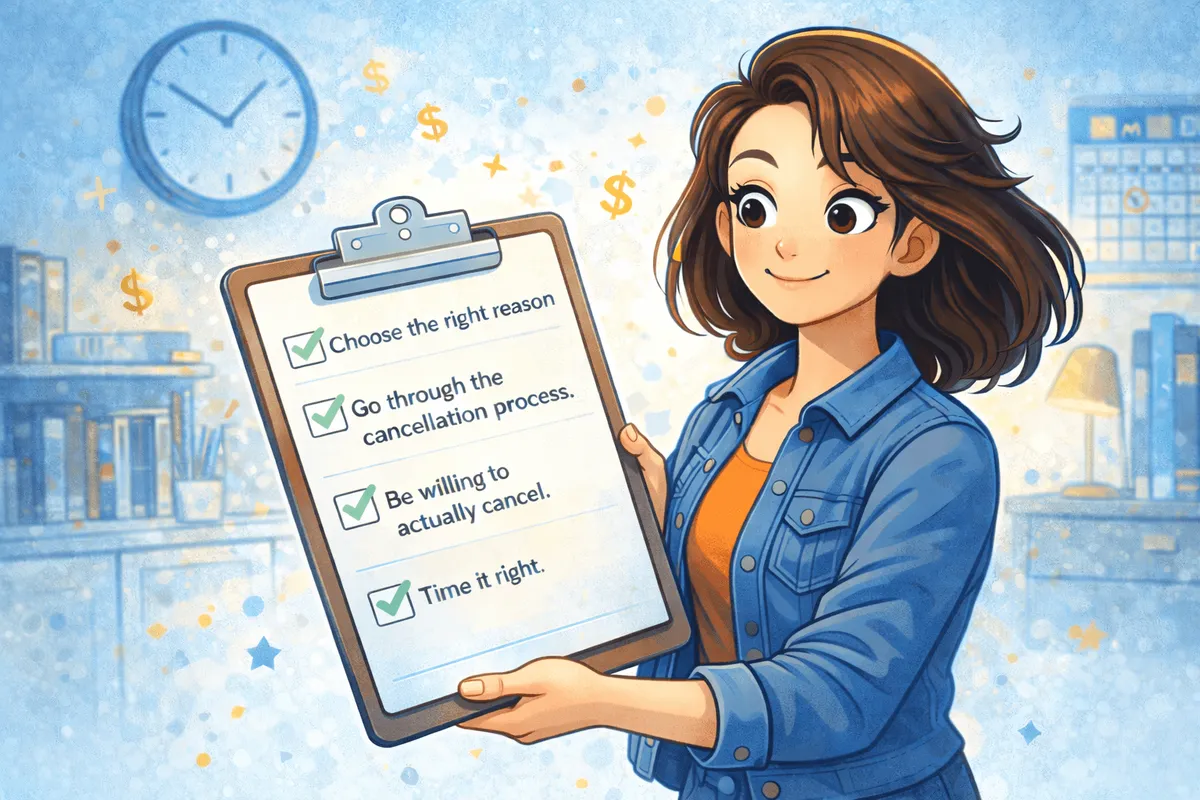
Choose the Right Reason
When asked why you're cancelling, always select "too expensive" or "cost" as your reason. This is the trigger for most retention offers. Other reasons (don't use it, switching to competitor) are less likely to surface a discount. (But sometimes still do)
Go Through the Full Cancellation Flow
Don't just ask support for a discount, actually start the cancellation process. Companies reserve their best offers for users who demonstrate real intent to leave. Clicking "cancel" signals that intent in a way that a chat message doesn't.
If you need help with cancelling your subscriptions, check out our comprehensive guide on subscription cancellations or visit our free tool that helps you to bulk cancel your subscriptions.
Be Willing to Actually Cancel
Sometimes the offer doesn't appear, or it's not good enough. Be prepared to follow through. You can always resubscribe later, and you might get a better win-back offer via email. I have personally gotten a win back offer from chatGPT when i actually cancelled the subscription.
For Phone Cancellations: Use a Script
Some subscriptions (SiriusXM, Adobe, cable companies) require you to call. Here's a script that works:
"Hi, I'd like to cancel my subscription. The price has become too high for me."
Wait for their response. They'll likely offer something. If it's not good enough:
"I appreciate the offer, but it's still more than I can justify. Is there anything better available?"
Be polite but firm. The first offer is rarely the best. Retention reps often have tiered offers they can escalate to.
We’ve heard of very broad ranges of negotiation, with some users scoring significant discounts by pushing harder.
Time It Right
Close to renewal: Offers may be more generous when your next charge is imminent.
After a price increase: Companies know you're more likely to leave after they raised prices. Retention budgets often increase accordingly.
End of quarter: Sales teams have targets. Late March, June, September, and December can be good times to negotiate.
What to Watch Out For
Offers Are Usually One-Time Only
Most retention discounts can only be used once per 12-month period. Don't expect to get 50% off every three months by repeatedly threatening to cancel.
Some Offers Downgrade Your Plan
Read the fine print. That Peacock discount might move you from Premium Plus to Premium (with ads). The Disney offer might be for the ad-supported tier. Make sure you understand what you're agreeing to.
Set a Reminder for When the Discount Ends
If you accept a 3-month or 6-month discounted rate, your subscription will likely revert to full price automatically. Set a calendar reminder to reassess before that happens.
Legacy Plans May Be Lost Forever
This is important: some subscriptions have grandfathered pricing that you'll lose if you cancel. The original Disney Bundle pricing, for example, is no longer available to new subscribers. If you cancel and resubscribe, you'll pay the current rate. Check what you're currently paying before you start the cancellation process.
Win-Back Offers: The Post-Cancellation Email
Sometimes the best deal comes after you've already left.
Services like HBO Max and Disney+ are known for sending win-back emails days or weeks after cancellation. These offers can be better than what you'd see during the cancellation flow because the company knows you're truly gone.
If you're not in a hurry to keep a service, consider actually cancelling and waiting to see what arrives in your inbox. The worst case is that you resubscribe at the normal price.
The best case?
You get a better deal than you would have by staying.
Is It Really Worth It?
Retention offers are one of the easiest ways to save money on subscriptions you already have. You don't need a coupon code or special eligibility, you just need to be willing to cancel.
The companies that offer these discounts would rather keep you at a lower rate than lose you entirely. That's leverage you can use.
Ready to try it? Here's how to cancel specific subscriptions:
How to cancel streaming subscriptions
How to cancel gym memberships
Full subscription cancellation database
Looking for other ways to save? Check out our guides to:
Frequently Asked Questions
Do retention offers work every time?
No. These offers are targeted and vary by account, tenure, usage, region, and timing. Some users see discounts every time; others never do. It's worth trying, but don't count on it.
Can I get a retention discount more than once?
Usually not within a 12-month period. Most companies limit retention offers to once per year per subscription.
What if I cancel and don't get a win-back email?
Not every company sends them. If you don't receive an offer within 2-3 weeks, you probably won't. You can always resubscribe at the normal rate, or wait for a seasonal sale.
Will I lose my data or watch history if I cancel?
Most streaming services retain your data for months after cancellation. Netflix keeps your profile for 10 months. But check the specific service's policy before cancelling if this matters to you.
Is it dishonest to cancel just to get a discount?
No. You're a paying customer evaluating whether the service is worth the price. Companies build these offers into their business model precisely because they expect some customers to use them. You're not gaming the system, you're using it as designed.
What's the difference between pausing and cancelling?
Pausing keeps your account active but stops billing temporarily. Cancelling ends your subscription entirely. Some services only show retention offers when you actually cancel, not when you pause.
This article is part of our guide to saving money on subscriptions. For step-by-step cancellation instructions, visit our cancel hub.
Use Orbit to track smarter, save more, and make your money work for you.